Introducing the D38999 Connector Decoder - Specify and Decode MIL-SPEC Connectors in Seconds
If you've ever had to decode a D38999 part number from scratch, you'll know the drill. Out come the datasheets. You cross-reference the shell type table, flip to the insert arrangement chart, check the contact codes, look up the tooling in a separate document, and by the time you've worked out what the connector actually is, and what you need to go with it, twenty minutes have passed and you've got a page of notes that still needs checking.
It's one of those tasks that's never particularly difficult, but it's always time-consuming, always fiddly, and always one misread column away from an error that costs you later.
We built the D38999 Connector Decoder to fix that. It's the second tool we've launched here at Harness Pro Engineering, following on from our Cable Bundle Calculator, and if the cable calculator was about taking the maths out of harness design, this one is about taking the datasheet-hunting out of connector specification. Type a part number, and everything you need is right there in front of you. Or start from your wiring requirements and let the tool build the part number for you. Either way, the whole process takes seconds.
What Is a D38999 Connector?
Before we get into the tool itself, it's worth a quick primer on D38999 connectors for anyone who hasn't worked with them before.
MIL-DTL-38999 is a military specification covering circular, environment-resistant electrical connectors. If you work in aerospace, defence, or any high-reliability industry, you've almost certainly come across them - they're used in everything from fighter aircraft and military vehicles to commercial aviation, space systems and industrial equipment where reliability is non-negotiable.
They're popular for good reason. They're robust, they're well-standardised, they come in a huge range of configurations, and they've been proven in some of the most demanding environments on the planet. Series III uses a triple start thread coupling mechanism - fast to mate, highly vibration-resistant. Series IV uses a breach lock coupling for the fastest possible connection cycle, ideal for applications where connectors are regularly disconnected and reconnected.
What makes them slightly tricky is the part number system. A full D38999 part number encodes everything about the connector - the shell type, the finish, the insert arrangement, the contact style and the keyway orientation - all in a single alphanumeric string. It's efficient and standardised, but reading one without a datasheet to hand is not always straightforward.
That's where the decoder comes in.
Decoding a Part Number — What the Tool Shows You
Let's say you've got a part number on a drawing or a bill of materials. Something like D38999/26WA35PN. You type it into the decoder and within a second you have the full breakdown.

Starting from the left, the tool identifies the shell type - in this case a Series III, triple start thread, wall mount receptacle - and shows you the coupling mechanism, whether it's scoop proof, the durability rating and whether it has high impact shock resistance. Alongside the text output, an image of the shell style appears automatically so you can visually confirm you're looking at the right thing.
Next comes the finish - the W in this part number decodes to Olive Drab Cadmium - and the tool tells you the base material, whether the finish is conductive, the corrosion resistance rating, the operating temperature range and whether it's RoHS compliant.
Then the insert arrangement. The A35 tells you the contact layout - the decoder shows you the total contact count, breaks down how many contacts of each size are in the arrangement, and displays the service rating including the operating voltage and the dielectric withstanding voltages at sea level and at altitude. A planform image of the insert appears alongside, showing you the physical layout of the contacts.

The contact style comes next. P means standard crimp pin contacts - the tool confirms the contact type and then lists the specific contact part numbers for each size in the arrangement, the compatible wire gauge range, the test current rating and the voltage drop specification. If there are filler plugs associated with those contact sizes, those part numbers and colour codes are shown too.
Then the tooling section - every crimp tool, turret, insertion tool and extraction tool needed for those contacts, grouped neatly so that where one tool covers multiple contact sizes it's shown once rather than repeated.
Finally, the keyway orientation. The polarisation code is decoded and a visual diagram appears showing the keyway positions as viewed from the mating face of the connector, clearly labelled as either a plug or receptacle view so there's no ambiguity.
And at the very bottom, mating halves. The tool automatically generates the part numbers for every compatible mating connector in the same series, highlighting the most commonly specified options so you can go straight to what you need.
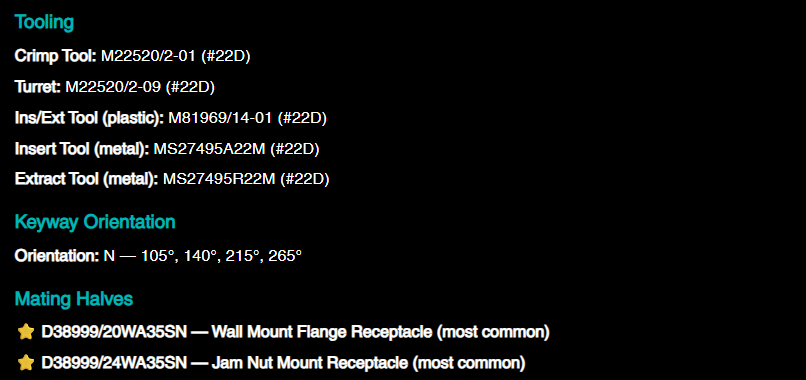
The whole decode - shell, finish, insert, contacts, tooling, keyway, mating halves - is on screen in under a second. No datasheets. No cross-referencing. No flipping between documents.
Building a Part Number from Scratch
The decoder is genuinely useful for looking up existing part numbers, but the part number builder is where the tool really earns its place for design engineers and anyone specifying connectors for a new application.
Click the Build Part Number button and you're guided through six steps. Each step filters the available options based on what you've already selected, so you can't end up with an invalid combination.
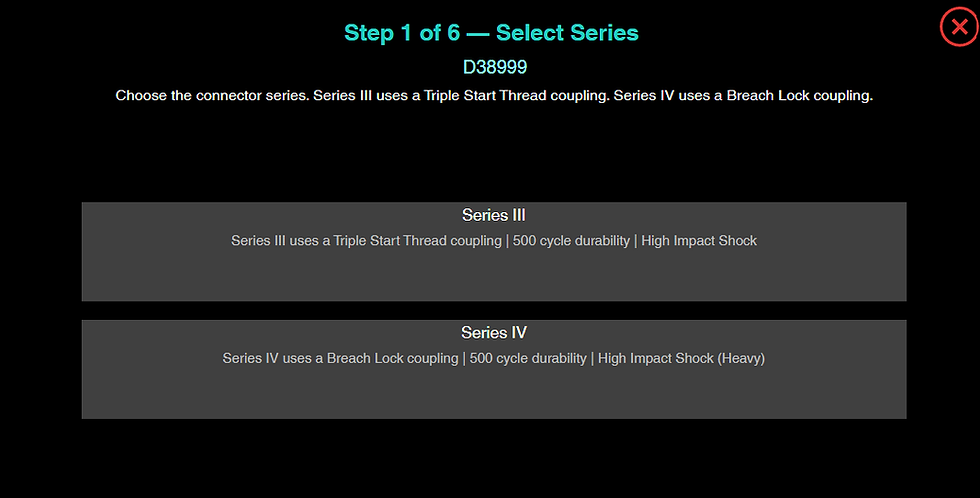
You start by choosing the series, III or IV, based on your coupling requirement. Then the shell type, filtered to your chosen series. Then the finish, with all the relevant material and compliance data shown for each option so you can make an informed choice rather than guessing at finish codes.
Step four is where the builder really sets itself apart. Rather than asking you to pick an insert arrangement from a catalogue and then manually check whether it can accommodate your wiring, it asks you a much more useful question: how many wires do you have, and at what gauges?

You type in the number of conductors at each wire gauge - say, eight at 20 AWG and two at 16 AWG - and the builder instantly filters the entire insert arrangement catalogue to show only the arrangements that can physically accommodate those wires. It handles the cases where a wire gauge is compatible with more than one contact size, allocates contacts correctly, and updates the results in real time as you adjust your inputs. What used to require a careful manual check against multiple table columns is done automatically, in seconds.
You then choose your contact style - pin or socket, standard or high durability, with hermetic options filtered in or out automatically based on your shell selection - and finally your keyway orientation, filtered to your shell size.
When you select the keyway, your completed part number drops straight into the decoder and the full specification breakdown appears immediately. You've gone from a blank page to a fully specified, fully verified D38999 part number with every associated contact, tool and filler plug part number ready to go in a matter of minutes.
A Note on the Images
One thing we're particularly pleased with is the visual output. Connector specification has always been a very text-heavy exercise - tables of codes and numbers that require a certain level of familiarity to interpret confidently. The decoder adds images at every stage: a visual guide of the shell style, a planform diagram of the insert arrangement, and a keyway orientation diagram that updates dynamically based on the decoded part number and shows the correct face view for plugs and receptacles respectively.
For technicians and assemblers who might be less familiar with part number conventions, being able to see what they're looking at alongside the data makes a real difference. For engineers, it's a useful visual confirmation that the specification is what you expect.
The Bill of Materials
Decoding a single connector is useful. But harness design rarely involves just one connector. A typical project might have dozens of different D38999 variants, each with their own contacts, tooling and filler plugs. Keeping track of everything you've researched, cross-referenced and specified across a session is where things traditionally get messy - notes on scraps of paper, part numbers in a spreadsheet that still needs building, tooling lists that may or may not be complete.
The built-in bill of materials keeps everything in one place as you work. Once you've decoded or built a part number, you add it to the BOM with a quantity and it goes straight onto the list. Connectors, contacts, crimp tools, insertion and extraction tools, filler plugs - anything the tool recognises can be added, so by the time you've finished your research session you have a single consolidated list of everything you've looked at, with quantities, ready to hand off to procurement or drop into your project documentation.
Quantities are editable directly in the list, duplicates are merged automatically, and the BOM persists if you refresh the page so you can come back to it across multiple sessions. It won't replace your full project BOM, but as a working document for capturing everything you've researched and specified it's considerably better than a notebook.
Who Is This For?
Honestly, anyone who works with D38999 connectors. But if we're being specific:
Design engineers will get the most out of the part number builder. The wire gauge filtering in particular is something we haven't seen in any other tool, and it turns a genuinely fiddly part of the specification process into something straightforward.
Procurement and supply chain teams will find the decoder useful for quickly identifying what a connector on a BOM actually is, generating mating half part numbers, and verifying specifications without needing deep technical knowledge.
Technicians and assemblers can use it to look up the correct tooling and contacts for a given connector at the point of assembly. No more hunting through separate tooling catalogues.
Quality and inspection teams can use it to verify that part numbers on build standards and inspection records match the required specification.
Try It Now
The D38999 Connector Decoder is free to use and available now at harnesspro.co.uk/d38999-decoder. No login required, no sign-up, no cost.
We'd love to hear what you think. If you find it useful, if something doesn't work the way you'd expect, or if there's data or functionality you'd like to see added, please get in touch.
This tool will keep improving and your feedback directly shapes what we build next.
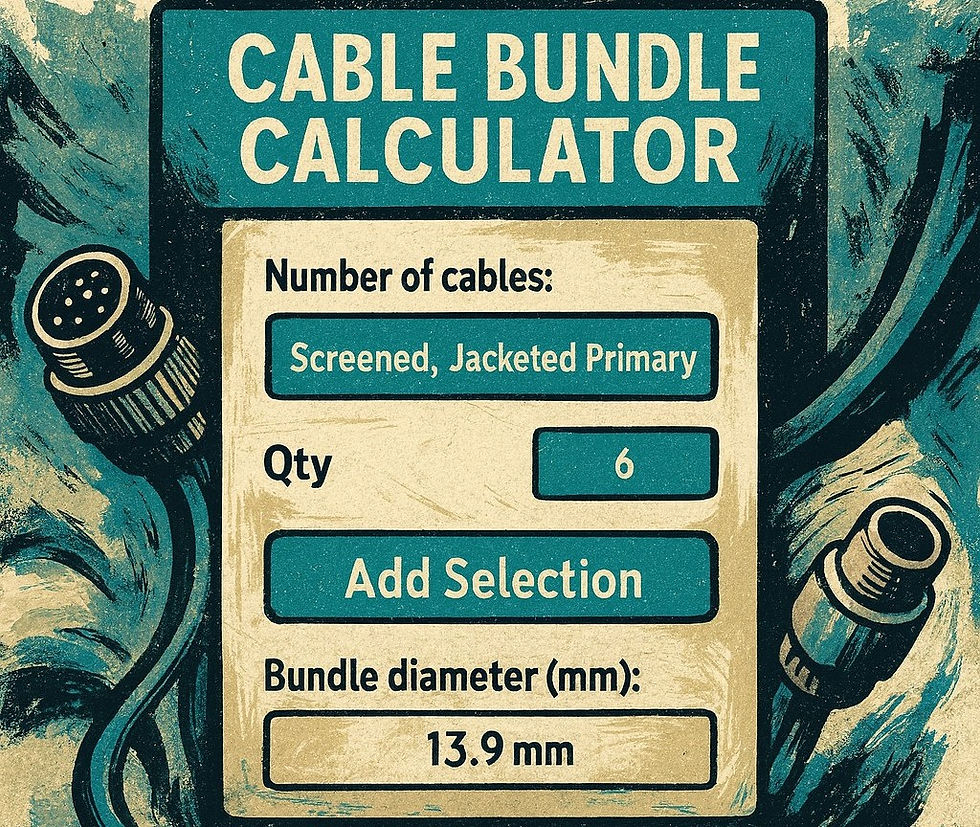
And if you haven't already tried the Cable Bundle Calculator, our first tool, which takes the maths out of harness cross-section and weight calculations, that's available on the site too.
Between the two, we're working towards making harnesspro.co.uk the go-to resource for practical harness engineering tools that save real time on real jobs.
More to come.


Comments